Coiso's Itineraries
At the top of the sidebar of points of interest for each route (map), the itinerary file is available for download.
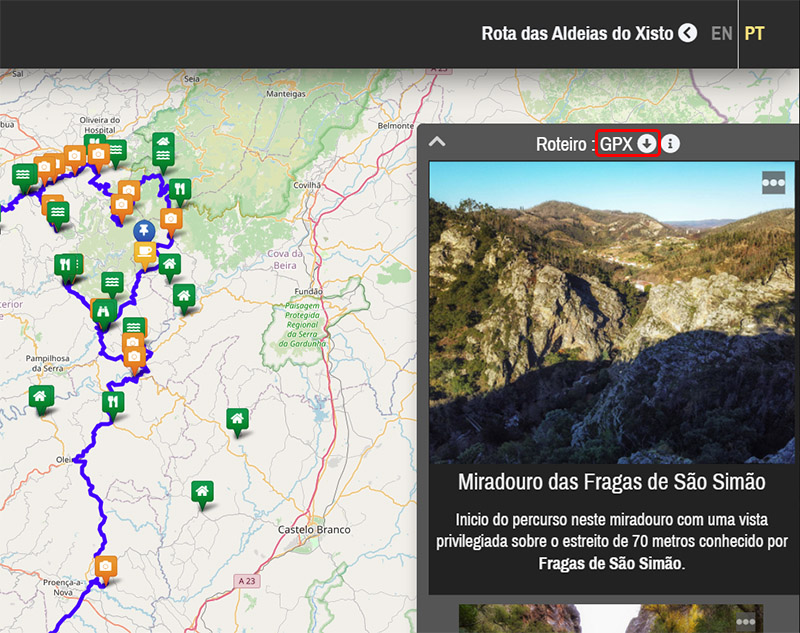
These files are provided in GPX format, which is natively supported by some GPS devices and applications.
To convert them into other formats, there are free online tools that allow you to do so, such as GPS Visualizer.
For example, using this tool to convert the file into the ITN format supported by TomTom devices, the settings would be:
Data type to convert: Routes [R]
Input file format: GPX XML [W][T][R]
Output file format: TomTom Itineraries (.itn) [R]
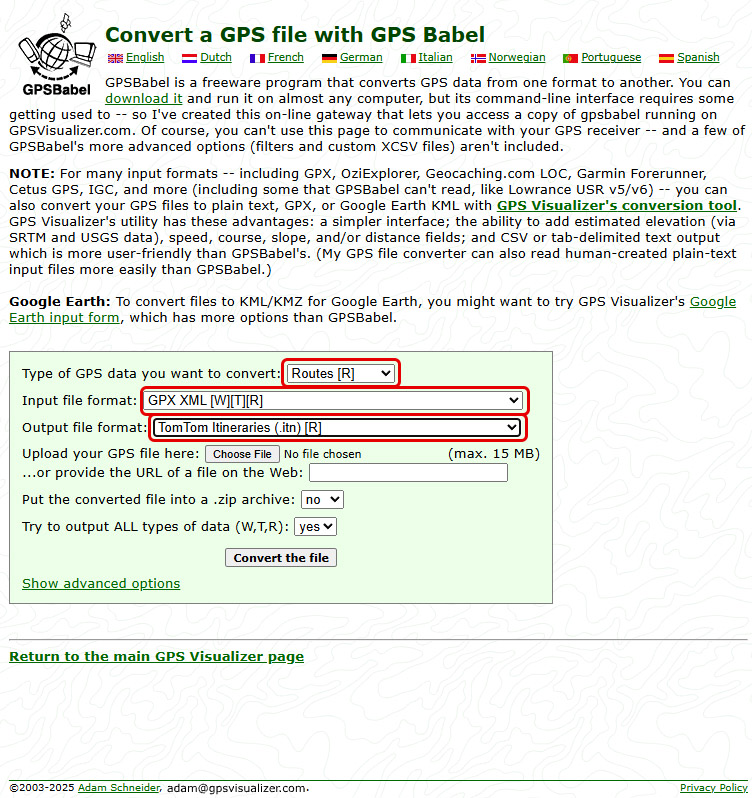
Use the [Choose File] button to select the GPX file downloaded from the route.
Then click [Convert the file] to start the conversion.
It is also possible to view these itineraries directly in the browser using GPS Visualizer.
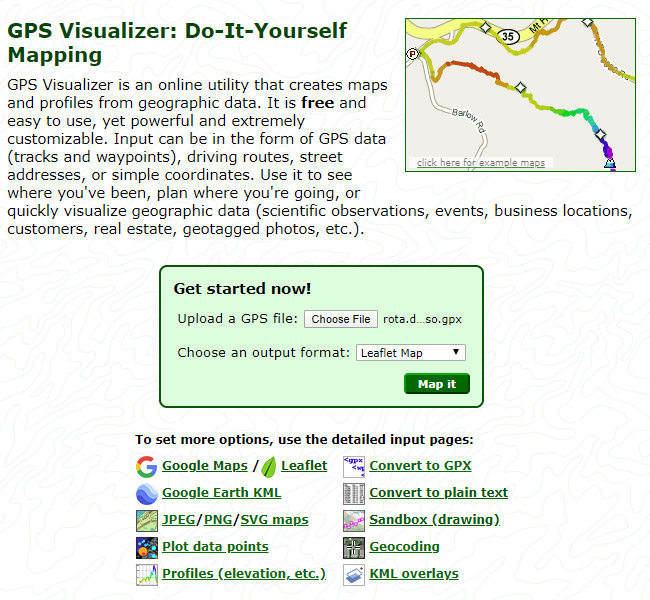
Use the [Choose File] button to select the GPX file downloaded from the route.
Then click [Map it] to display the map.
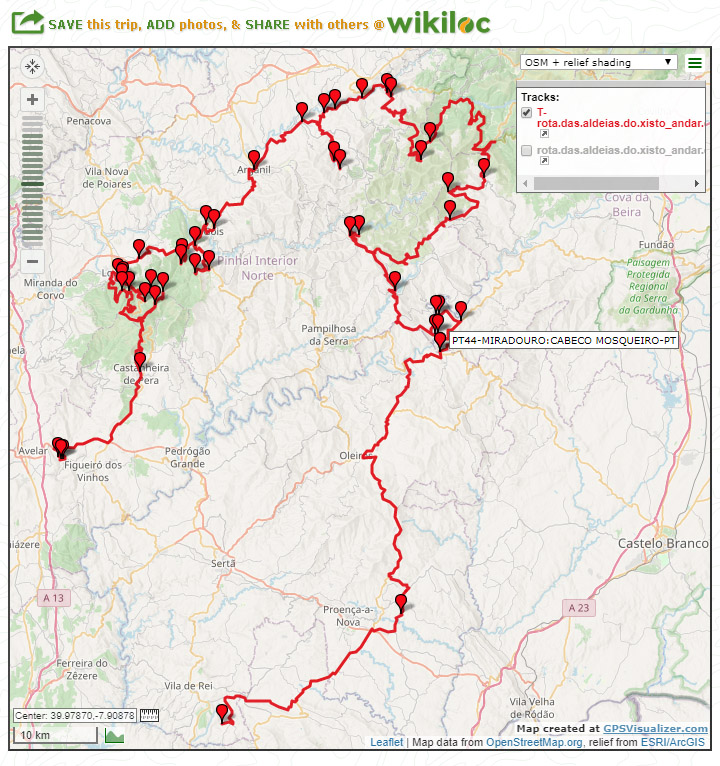
The map corresponds to a road route that passes through a sequence of points.
Example of points that could make up an itinerary:
SP00-MIRADOURO:FRAGAS DE SAO SIMAO-PT
WP01-CASTANHEIRA DE PERA-PT
SP02-CERDEIRA-PT
WP03-ARGANIL-PT
SP04-CASCATA:FRAGA DA PENA-PT
SPXX-VILA COVA DO ALVA-PT
The name of each point follows these rules:
- Prefix, which may be SP (Stop Point) or WP (Way Point),
- A - separator
- Two‑digit sequence number starting at 00 (starting point) and ending at XX (final point),
- A - separator
- For SP points, a category of point of interest, which may or may not be included (if relevant),
- A : separator
- Identifier of the location of the point, typically the name of the place,
- A - separator
- Two‑letter suffix of the country where the point is located (for example PT = Portugal, ES = Spain)
This naming convention makes it easier to read the itinerary while on the road, allowing you to immediately understand where you are and which point comes next
Messages:
Posted on 2021-05-01 by Manuel
Posted on 2021-05-01 by Daniel Santos
Leave a message